
Everything you check before a file goes to air.
Closed Caption Player puts caption, audio and format validation in one fast, frame-accurate player. Here's what it checks, and why delivery teams rely on it.
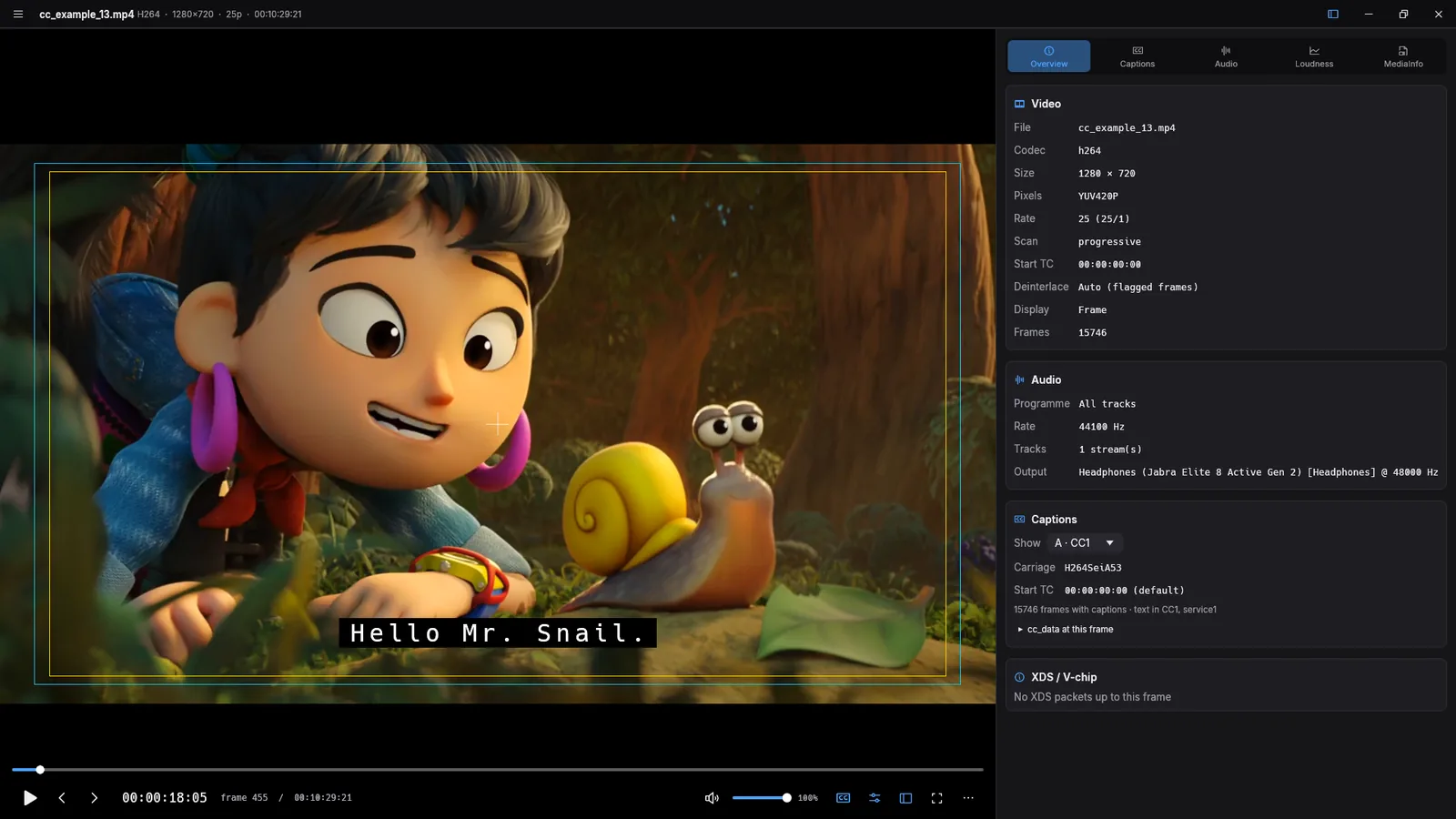
Read the captions that are actually in the file.
Many players skip embedded captions or only show the first channel. Closed Caption Player decodes them from the carriage itself and draws them the way a broadcast decoder would.
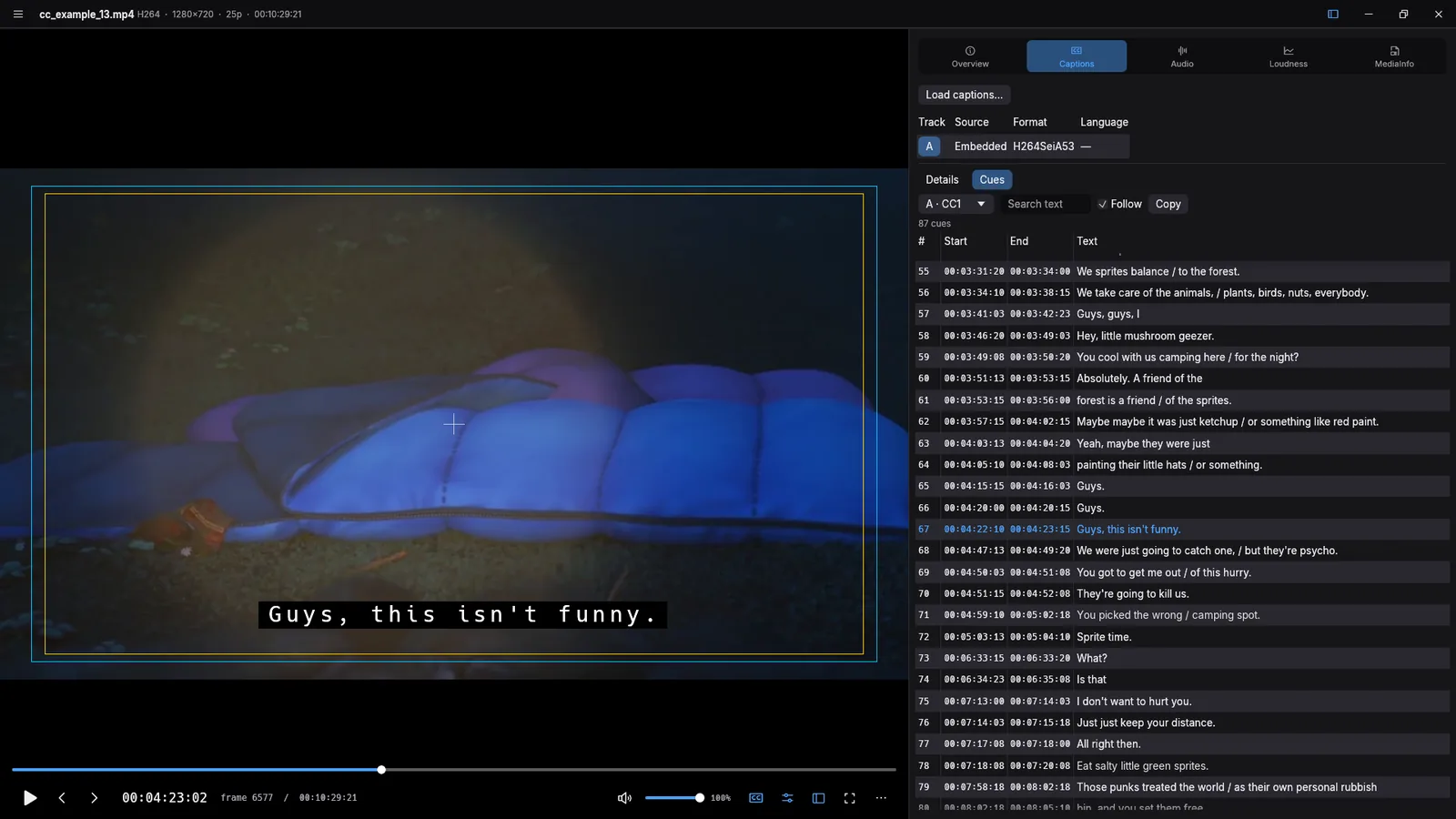
A cue table that keeps up with playback.
Every caption becomes a row with its number, start, end and text. Use it to find missing captions, long gaps, overlaps and timing drift without scrubbing.
- Follow mode scrolls to the caption on screen
- Search all caption text; double-click a row to seek to it
- Pop-on, roll-up and paint-on segmented into proper cues
- Copy the table as TSV for your QC report
- Raw cc_data at the current frame for deep troubleshooting
Opens the masters you actually receive.
The player is built on FFmpeg, with a decoder pipeline tuned for broadcast material: exact frame indexes, accurate seeks in long-GOP files, and interlaced playback you can trust.
| Type | Supported |
|---|---|
| Containers | MXF (OP1a, XDCAM), MOV/QuickTime, MP4, MPEG-2 Transport Stream and Program Stream, GXF, IMF, WMV/ASF, local HLS playlists |
| Video codecs | XDCAM HD 50 / MPEG-2, Apple ProRes (422, 4444), Avid DNxHD / DNxHR, H.264 / AVC, H.265 / HEVC, JPEG 2000, VC-1 |
| Resolutions | SD, HD and UHD/4K. 8-bit and 10-bit, 4:2:0 / 4:2:2 / 4:4:4 |
| Scan | Progressive and interlaced (TFF/BFF), with Auto, On or Off deinterlacing and field-by-field views |
| Audio | PCM, AAC, AC-3 and more. Up to 16 channels across mono or multichannel tracks |
| Captions | CEA-608, CEA-708, XDS. Sidecars: SCC, MCC, SRT, WebVTT, TTML, DFXP, SMPTE-TT, EBU STL, Cheetah CAP and 20+ more |
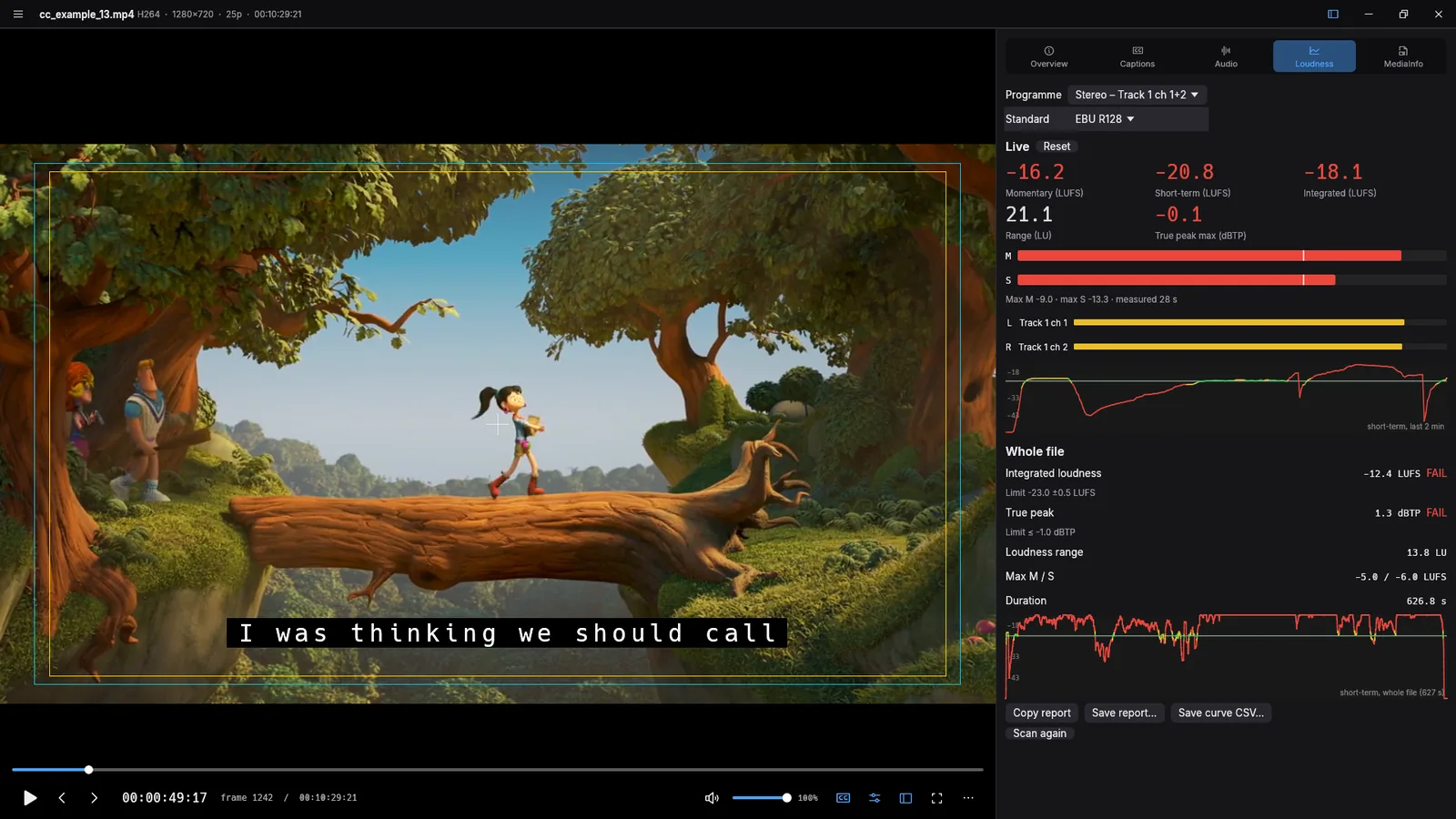
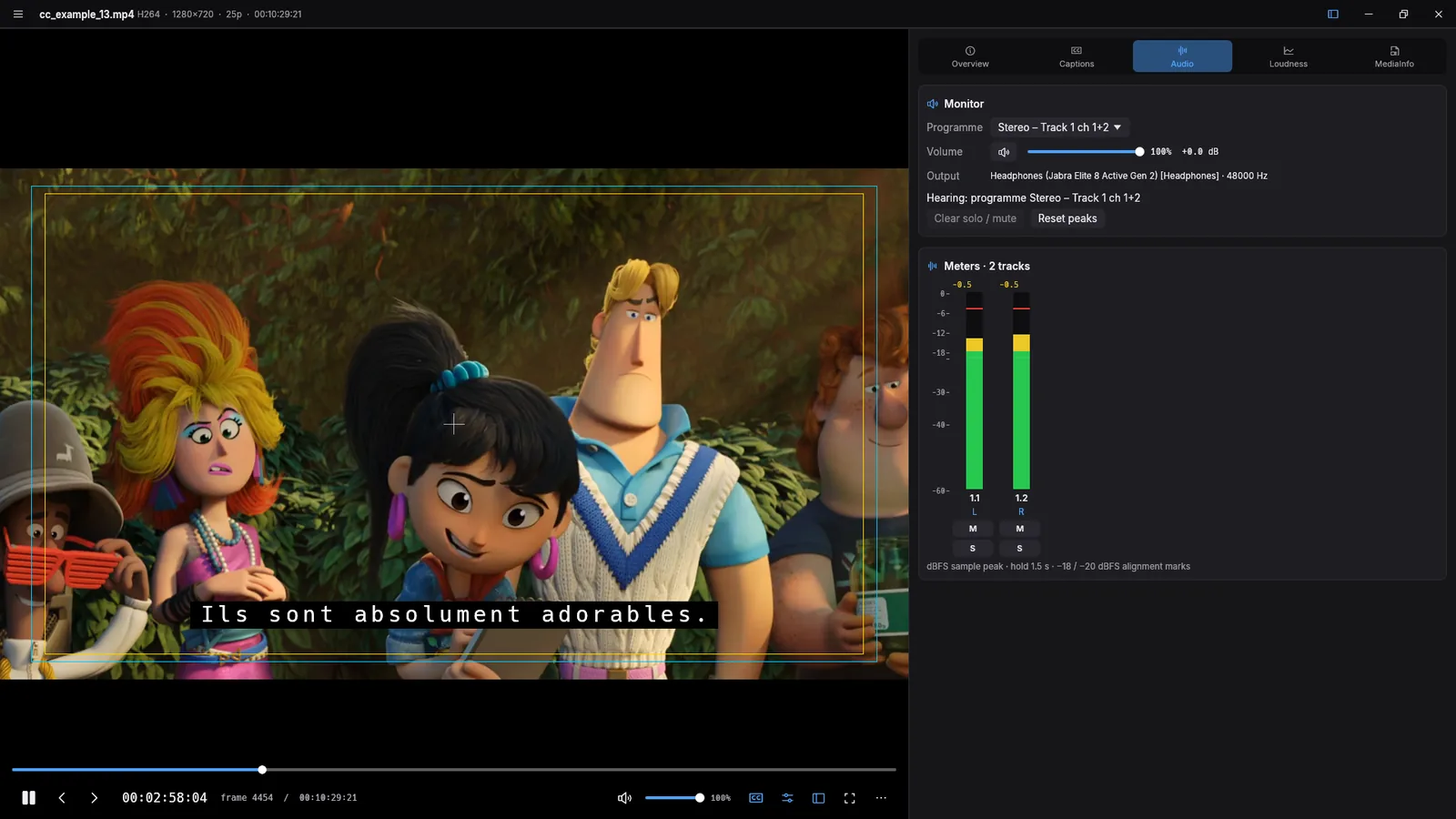
Meter every track. Measure loudness to spec.
See every channel in the file, not only the stereo pair. Choose the programme you deliver, then measure it against the standard your partner asks for.
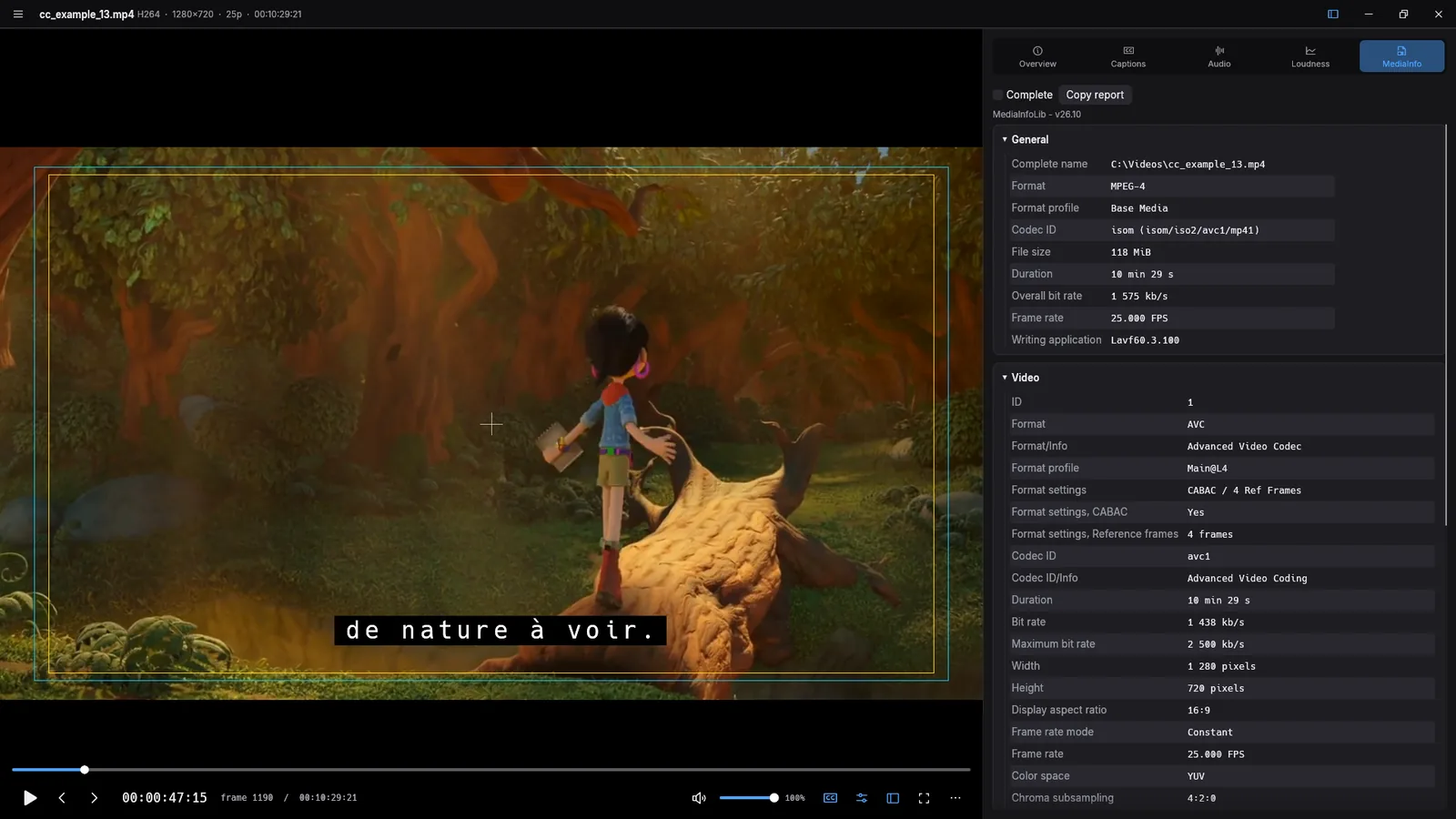
The full technical picture, next to the picture.
The MediaInfo report is built in. Check the format profile, bit rate, frame rate mode, colour space, chroma subsampling and every audio stream without leaving the player.
- Summary and Complete views
- Copy the full report in one click
- Overview card with codec, size, rate, scan, start timecode and caption carriage
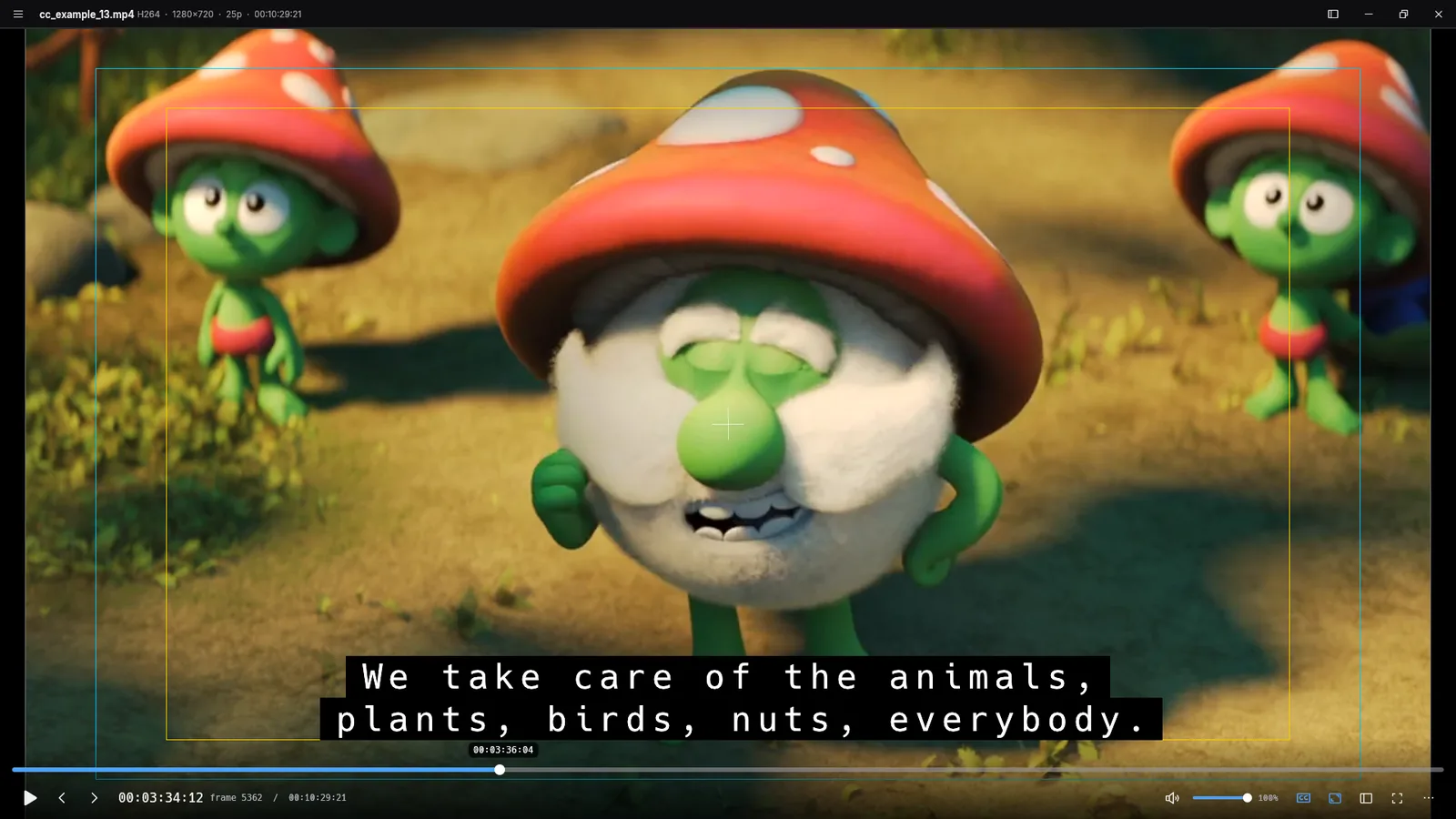
See what the viewer will see.
Overlays and field tools for broadcast QC are one menu away.
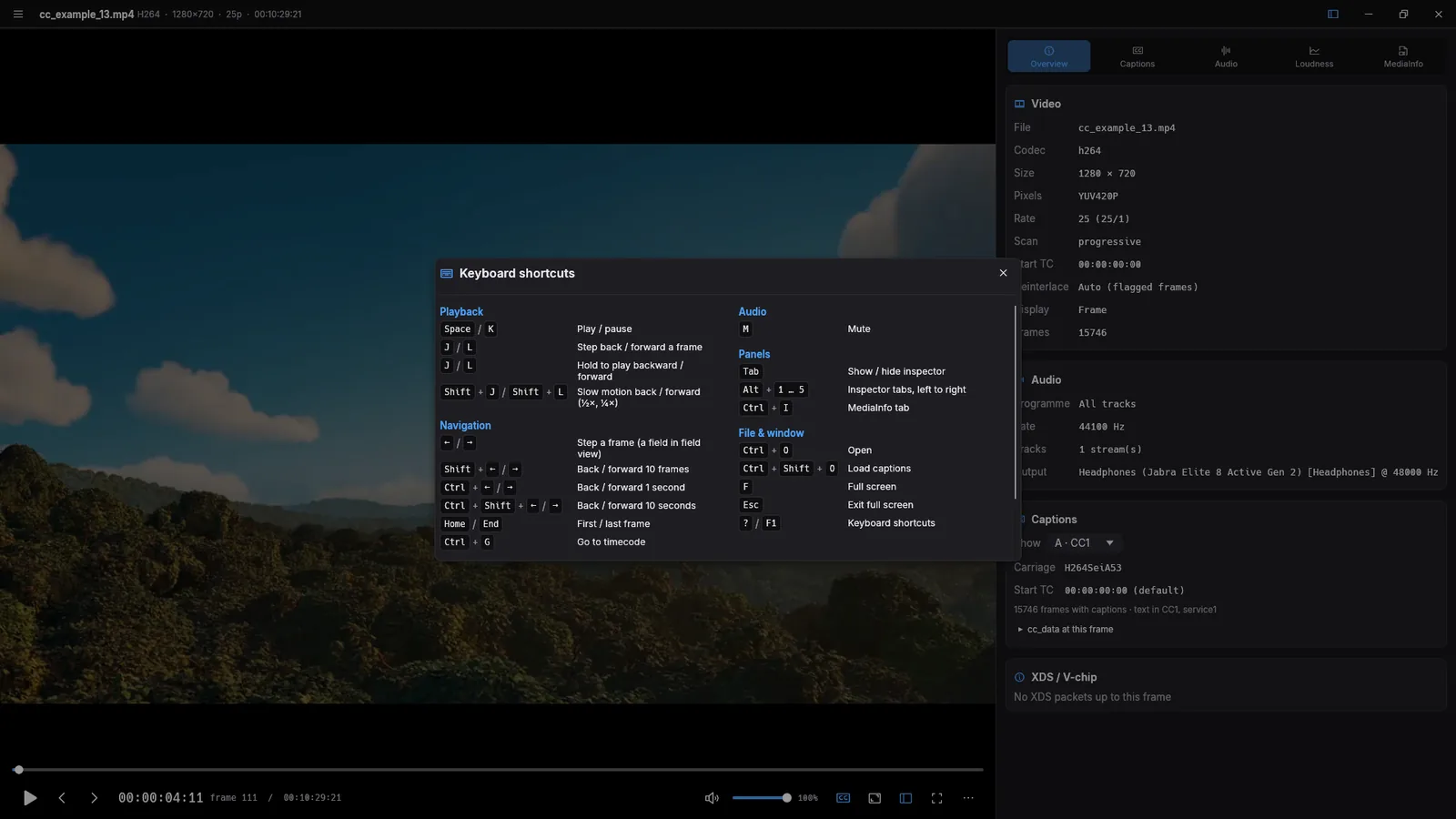
Frame-accurate, keyboard-first.
The editor shortcuts you already know, on a player that lands on the exact frame every time.
- J K L shuttle, slow motion and reverse
- ← → frame or field step, with Shift for 10
- Ctrl+G go to timecode, including relative jumps
- Fast scrubbing with audio, even on long-GOP 1080i
- ? opens the full shortcut sheet
Same player on every desk.
A native app for each platform: no browser and no plug-ins. Your team gets the same results everywhere.
Windows
Windows 10 and 11, 64-bit.
macOS
Native on Apple Silicon (M1 and later).
Linux
x64 for edit bays and render nodes.
Buy it once. It's yours.
A perpetual licence with 12 months of free updates. After a year, keep using your version for as long as you like, or renew updates for $100.
- Activate on 2 computers; move a licence any time
- Works offline. Checks in about once a week, with 30 days' grace
- Air-gapped activation codes for secure facilities
- 30-day money-back guarantee
Perpetual licence · 12 months of updates
Check your next delivery with confidence.
Try every feature free for 7 days. No account and no credit card. When you're ready, buy once and keep it.